
Solutions
Download and control your SAT CFDIs
Automatically download issued and received CFDIs, check suppliers against the 69-B list and export IVA worksheets — ready to file, localized for Mexico.
Your invoices, clear and up to date
No mockups — this is what you see when you sign in, on a computer or on your phone.
The same app on both screens
It is not a desktop tool with a cramped mobile version, nor an app that only works on a phone: it is built for both. Same account, same data — work at the office computer and check from your phone when you are out.
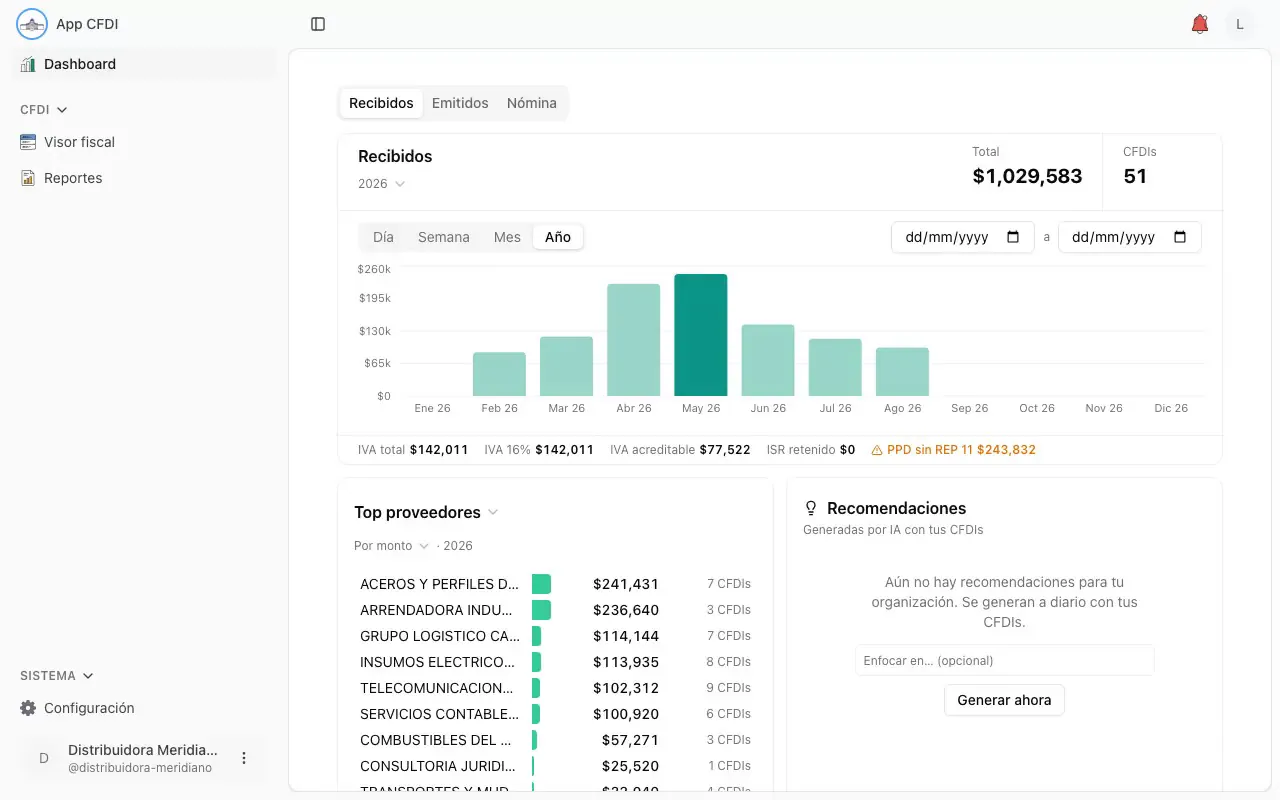
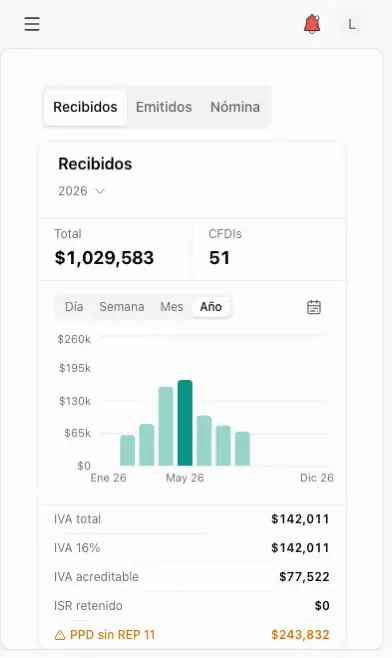
Recorded with demo data: the companies, RFCs and amounts are made up.

What you get
Automatic bulk download
Issued and received XMLs downloaded from the SAT on a schedule — no portal visits.
69-B validation
Flag suppliers on the SAT blacklists before they become a fiscal risk.
IVA worksheets
Export the IVA worksheet ready for your accountant, every month.
Document vault
XMLs and PDFs organized, searchable and backed up in one place.
Reconciled with your operation
Match CFDIs against expenses, purchases and payments recorded on the platform.
Multi-RFC
Manage the CFDIs of all your companies from a single account.
How it works
Connect your RFC
Set up your SAT credentials securely, once.
Download and organize
Clau downloads your CFDIs automatically and classifies them.
Validate and export
Check 69-B, reconcile with your operation and export reports for your accountant.

Why teams run it on Clau
One integrated platform
Data, AI, automations and payments in one place — not five tools.
Localized for Mexico
CFDI/SAT, MercadoPago, banks and tax — built in.
AI-native
Build and operate with AI from day one.

Frequently asked questions
Which CFDIs does Clau download?
Issued and received, for every RFC you connect, with their XML and PDF files.
How often are they downloaded?
Automatically and recurrently — without you ever logging into the SAT portal.
What is the 69-B validation?
The SAT publishes lists of taxpayers with presumably non-existent operations (EFOS). When each document is verified against the SAT, Clau records what the SAT itself reports about its issuer and alerts you if it is flagged.
Are my SAT credentials safe?
Your e.firma is used only to request your documents from the SAT. The private-key passphrase is stored encrypted with AES-256-GCM and never shown back; the certificate and key live in private storage, encrypted at rest, reachable only by your organization. You can delete it from the app at any time.